Best Angular Gantt chart components

Choosing the right Gantt chart component for an Angular application depends on how much scheduling logic the library handles, how it integrates with Angular's component model, and what the license allows. This comparison covers five options: Bryntum Gantt, DHTMLX Gantt, Syncfusion Gantt, DayPilot Gantt, and ScheduleJS.
The comparison uses these criteria: installation, Angular integration, scheduling features, export support, pricing, and production trade-offs. Four of the five libraries ship native Angular wrappers. DHTMLX Gantt uses a container approach where you initialize the library inside ngAfterViewInit. If you are comparing libraries across frameworks rather than Angular specifically, see our article on the best JavaScript Gantt chart libraries for enterprise projects.
Bryntum Gantt
Bryntum Gantt is a commercial JavaScript Gantt component built on ChronoGraph, an open-source reactive scheduling engine. When a predecessor task changes its duration, dependent tasks reschedule automatically, working-time calendars skip non-working days, and constraints interact the way they do in Microsoft Project. The left panel is built on Bryntum Grid, giving it full sorting, filtering, grouping, and column configuration without extra setup.
Getting started with Bryntum Gantt
Install the trial package and the Angular wrapper:
npm install @bryntum/gantt@npm:@bryntum/gantt-trial@7.3.0
npm install @bryntum/gantt-angular@7.3.0
Add the required stylesheets to the styles array in angular.json, in this order:
"node_modules/@bryntum/gantt/fontawesome/css/fontawesome.css",
"node_modules/@bryntum/gantt/fontawesome/css/solid.css",
"node_modules/@bryntum/gantt/gantt.css",
"node_modules/@bryntum/gantt/svalbard-light.css"
Import BryntumGanttModule in your AppModule:
// app.module.ts
import { BryntumGanttModule } from '@bryntum/gantt-angular';

@NgModule({
    imports : [BryntumGanttModule]
})
export class AppModule {}
Define the Gantt configuration in the component class:
// app.component.ts
import { Component } from '@angular/core';
import { BryntumGanttProps } from '@bryntum/gantt-angular';

@Component({
    selector    : 'app-root',
    templateUrl : './app.component.html'
})
export class AppComponent {
    ganttConfig : BryntumGanttProps = {
        columns : [
            { type : 'name',        width : 250 },
            { type : 'duration',    width : 80  },
            { type : 'percentdone', width : 60  }
        ],
        project : {
          startDate : '2025-01-14',
          tasks : [
              {
                  id : 1000, name : 'Launch SaaS Product', expanded : true, percentDone : 35.7,
                  children : [
                      { id : 11, name : 'Install Apache',      startDate : '2025-01-14', duration : 3, percentDone : 50 },
                      { id : 12, name : 'Configure firewall', startDate : '2025-01-14', duration : 3, percentDone : 50 },
                      { id : 15, name : 'Run tests',          startDate : '2025-01-21', duration : 2, percentDone : 0 }
                  ]
              }
          ],
          dependencies : [
              { fromTask : 11, toTask : 15, lag : 2 },
              { fromTask : 12, toTask : 15 }
          ]
        }
    };
}
Bind the configuration properties in the template:
<!-- app.component.html -->
<bryntum-gantt [columns]="ganttConfig.columns" [project]="ganttConfig.project"></bryntum-gantt>
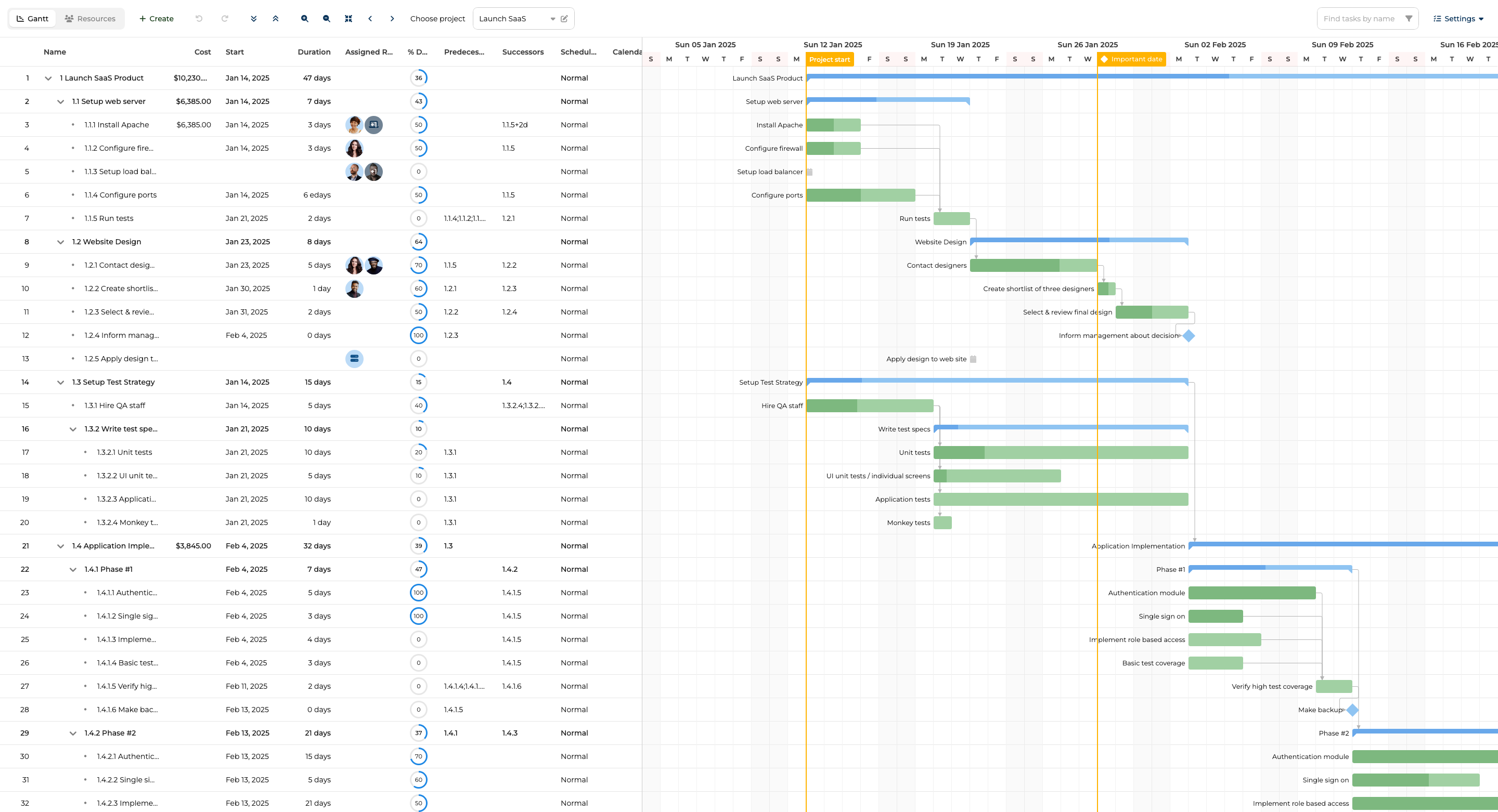
Bryntum Gantt features
Bryntum Gantt includes auto-scheduling via ChronoGraph, critical path analysis, resource management, baselines, split tasks, and undo/redo. Client-side export covers PDF, PNG, Excel, ICS, and MS Project XML without requiring a server-side export module. The library also supports importing MS Project and Primavera P6 files. Ten built-in themes and 45 locales are included in the base license. Bryntum ships an MCP server and a Claude Code skill, so AI coding agents can reference the API documentation directly during development.
Bryntum Gantt pricing
The license costs $940 per developer as a perpetual license that includes 12 months of updates. After the update period, you keep the last version you received. A free 45-day trial is available at bryntum.com/download.
Pros of Bryntum Gantt
- Native Angular wrapper ships with full TypeScript type definitions.
- The ChronoGraph scheduling engine handles all dependency recalculation, constraint resolution, and calendar-aware scheduling.
- All features (export, baselines, resource management, and critical path) are included in the base license without add-ons.
- Ten built-in themes cover most visual requirements without custom CSS.
- MCP server and Claude Code skill support AI-assisted development workflows.
Cons of Bryntum Gantt
- No free tier beyond the 45-day trial.
- Higher per-developer entry cost compared to some alternatives.
DHTMLX Gantt
DHTMLX Gantt is one of the oldest JavaScript Gantt libraries available. It offers a GPL Standard edition for open-source use and several commercial tiers for production applications. DHTMLX does not ship an official Angular wrapper, so Angular integration requires initializing the library against a DOM element inside ngAfterViewInit.
Getting started with DHTMLX Gantt
Install the package from npm:
npm install dhtmlx-gantt@9.1.4
Create an Angular component that initializes DHTMLX Gantt against a container element:
import { Component, OnInit, OnDestroy, ElementRef, ViewChild, AfterViewInit } from '@angular/core';
import { gantt } from 'dhtmlx-gantt';

@Component({
    selector    : 'app-dhtmlx-gantt',
    template    : '<div #ganttContainer style="width:100%;height:500px;"></div>',
    styleUrls   : ['../node_modules/dhtmlx-gantt/codebase/dhtmlxgantt.css']
})
export class DhtmlxGanttComponent implements AfterViewInit, OnDestroy {
    @ViewChild('ganttContainer') ganttContainer!: ElementRef;

    ngAfterViewInit(): void {
        gantt.config.date_format = '%Y-%m-%d';
        gantt.init(this.ganttContainer.nativeElement);
        gantt.parse({
            data  : [
                { id : 1, text : 'Phase 1',      start_date : '2026-01-01', duration : 14, open : true },
                { id : 2, text : 'Requirements', start_date : '2026-01-01', duration : 5,  parent : 1  },
                { id : 3, text : 'Design',       start_date : '2026-01-08', duration : 8,  parent : 1  }
            ],
            links : [{ id : 1, source : 2, target : 3, type : '0' }]
        });
    }

    ngOnDestroy(): void {
        gantt.clearAll();
    }
}
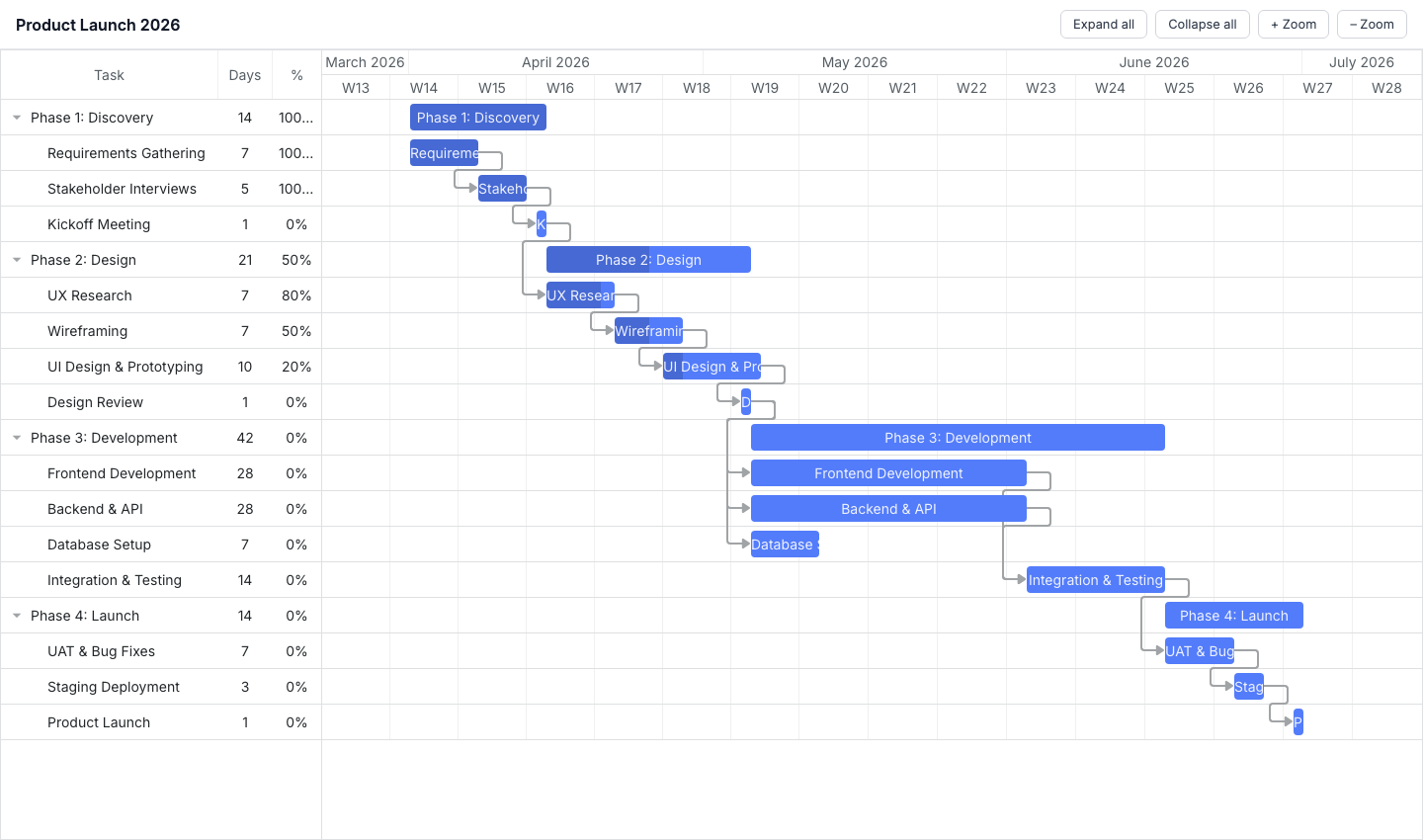
DHTMLX Gantt features
The Standard (GPL) edition includes drag-and-drop task editing, dependency links, zoom levels, and collapsible task trees. Auto-scheduling, critical path analysis, resource management, baselines, and split tasks are available in the Pro edition only.
DHTMLX Gantt pricing
The Standard edition is free under the GPL license for open-source projects. Commercial licenses are per-developer perpetual: Individual at $699, Commercial at $1,399, Enterprise at $2,999, and Ultimate at $5,999.
Pros of DHTMLX Gantt
- GPL Standard edition is genuinely free for open-source projects.
- Pricing is published and per-developer perpetual.
- Package is available on the public npm registry without authentication.
Cons of DHTMLX Gantt
- No official Angular wrapper: you manage DOM initialization and teardown manually.
- The
ganttexport is a global singleton, which complicates running multiple Gantt instances on the same page. - Advanced scheduling features (auto-scheduling, critical path, resource management) require the Pro edition.
Syncfusion Gantt
Syncfusion Gantt ships as a first-party Angular component through the @syncfusion/ej2-angular-gantt package. It covers the full scheduling feature set, including auto-scheduling, critical path, baselines, split tasks, and resource management. It is available under a Community License for qualifying teams.
Getting started with Syncfusion Gantt
Install the package:
npm install @syncfusion/ej2-angular-gantt@33.2.4
Register the license key and import GanttModule in AppModule:
// app.module.ts
import { GanttModule } from '@syncfusion/ej2-angular-gantt';
import { registerLicense } from '@syncfusion/ej2-base';

registerLicense('your-license-key-here');

@NgModule({ imports: [GanttModule] })
export class AppModule {}
Define the data source and task field mapping in the component:
// app.component.ts
import { Component } from '@angular/core';

@Component({
    selector    : 'app-root',
    templateUrl : './app.component.html'
})
export class AppComponent {
    data = [
        {
            TaskID : 1, TaskName : 'Phase 1',
            subtasks : [
                { TaskID : 2, TaskName : 'Requirements', StartDate : new Date('2026-01-01'), Duration : 5, Progress : 100 },
                { TaskID : 3, TaskName : 'Design',       StartDate : new Date('2026-01-08'), Duration : 8, Progress : 20, Predecessor : '2' }
            ]
        }
    ];

    taskFields = {
        id         : 'TaskID',
        name       : 'TaskName',
        startDate  : 'StartDate',
        duration   : 'Duration',
        progress   : 'Progress',
        dependency : 'Predecessor',
        child      : 'subtasks'
    };
}
Render the component in the template:
<!-- app.component.html -->
<ejs-gantt [dataSource]="data" [taskFields]="taskFields" height="100%">
</ejs-gantt>
Syncfusion requires multiple stylesheet imports in angular.json. Add the following to the styles array:
"node_modules/@syncfusion/ej2-base/styles/material.css",
"node_modules/@syncfusion/ej2-buttons/styles/material.css",
"node_modules/@syncfusion/ej2-calendars/styles/material.css",
"node_modules/@syncfusion/ej2-dropdowns/styles/material.css",
"node_modules/@syncfusion/ej2-inputs/styles/material.css",
"node_modules/@syncfusion/ej2-navigations/styles/material.css",
"node_modules/@syncfusion/ej2-popups/styles/material.css",
"node_modules/@syncfusion/ej2-richtexteditor/styles/material.css",
"node_modules/@syncfusion/ej2-treegrid/styles/material.css",
"node_modules/@syncfusion/ej2-grids/styles/material.css",
"node_modules/@syncfusion/ej2-gantt/styles/material.css"
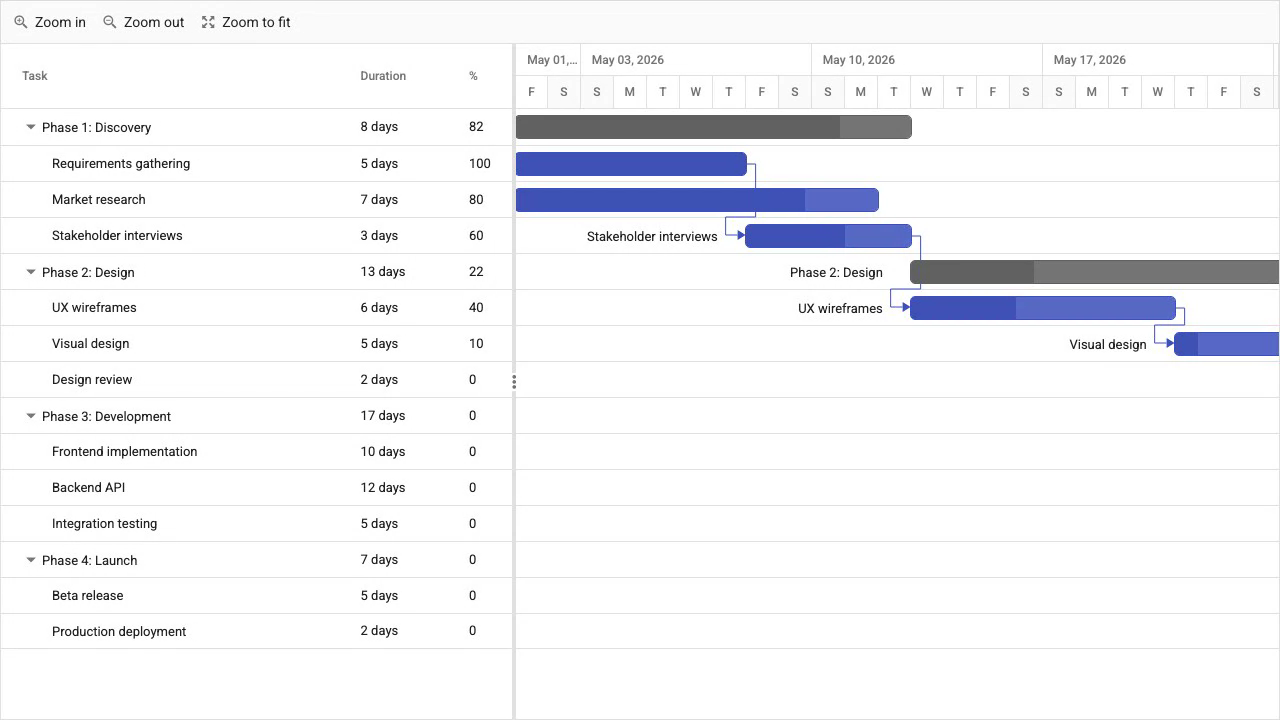
Syncfusion Gantt features
Syncfusion Gantt includes auto-scheduling, critical path analysis, baselines, split tasks, resource management, undo/redo, and export. The feature set is comparable to Bryntum Gantt in breadth.
Syncfusion Gantt pricing
The Community License is free for organizations with annual gross revenue under $1 million, five or fewer developers, and 10 or fewer total employees. Commercial licensing is quote-based. The Community License covers the full feature set with no feature restrictions.
Pros of Syncfusion Gantt
- Native Angular component with first-party support.
- Community License covers all features at no cost for qualifying teams.
- Comprehensive feature set including auto-scheduling, baselines, and export.
Cons of Syncfusion Gantt
- The setup requires importing 11 separate CSS files from different packages.
- Commercial pricing is not publicly listed.
- MCP servers are stdio-only, which limits integration with some AI tooling.
DayPilot Gantt
DayPilot Pro provides a native Angular Gantt component through the daypilot-pro-angular package. It covers dependency links, drag-and-drop scheduling, and task completion tracking. The package is distributed after purchasing a DayPilot Pro license and is not available on the public npm registry.
Getting started with DayPilot Gantt
After obtaining a license, install the package:
npm install daypilot-pro-angular
Import DayPilotModule in AppModule:
// app.module.ts
import { DayPilotModule } from 'daypilot-pro-angular';

@NgModule({ imports: [DayPilotModule] })
export class AppModule {}
Configure the Gantt in the component:
// app.component.ts
import { Component, ViewChild } from '@angular/core';
import { DayPilotGanttComponent } from 'daypilot-pro-angular';

@Component({
    selector    : 'app-root',
    template    : `<daypilot-gantt [config]="config"></daypilot-gantt>`
})
export class AppComponent {
    config = {
        startDate : '2026-01-01',
        days      : 30,
        tasks     : [
            { id : '1', start : '2026-01-01', end : '2026-01-15', text : 'Phase 1', completion : 50 },
            { id : '2', start : '2026-01-08', end : '2026-01-20', text : 'Design',  completion : 20 }
        ],
        links : [{ from : '1', to : '2' }]
    };
}
DayPilot Gantt features
DayPilot Gantt supports dependency links, drag-and-drop task editing, task completion percentages, and a UI Builder for configuring the component visually. A 60-day trial is available. It does not include an auto-scheduling engine, so task dates do not recalculate automatically when dependencies change.
DayPilot Gantt pricing
DayPilot Pro licenses start at $649 per developer as a perpetual license.
Pros of DayPilot Gantt
- Native Angular component.
- UI Builder lets you configure the Gantt visually and export the resulting configuration.
- 60-day trial period.
Cons of DayPilot Gantt
- No auto-scheduling engine: dependent task dates must be managed manually.
- Feature set is narrower than Bryntum Gantt or Syncfusion Gantt.
- Package is not on the public npm registry.
ScheduleJS
ScheduleJS is a commercial Gantt library from AISO SA that targets Angular exclusively and renders to HTML Canvas. It is the only Angular-native canvas-based Gantt in this comparison. Canvas rendering maintains performance at high activity counts where DOM-based rendering can slow down. The package is not published on the public npm registry and is distributed as a local file after purchase.
Getting started with ScheduleJS
ScheduleJS requires a new Angular project created with SCSS:
ng new project-name --style=scss
Add the local package after obtaining it from AISO SA:
yarn add file:./local_modules/schedule
Import ScheduleModule and initialize the license in AppModule:
// app.module.ts
import { NgModule } from '@angular/core';
import { BrowserModule } from '@angular/platform-browser';
import { Locale as BaseLocaleEnUs } from '@js-joda/locale/dist/prebuilt/en-us';
import { LicenseManager, Locale, ScheduleModule } from 'schedule';
import { AppComponent } from './app.component';

@NgModule({
    declarations : [AppComponent],
    imports      : [BrowserModule, ScheduleModule],
    bootstrap    : [AppComponent]
})
export class AppModule {
    constructor() {
        Locale.updateDefault(BaseLocaleEnUs.US);
        LicenseManager.setLicenseFromKey('your-license-key-here');
    }
}
The package name is schedule, not schedulejs. LicenseManager.setLicenseFromKey() must run before any ScheduleJS component mounts. The data model uses class extension: activities and rows are defined by extending MutableActivityBase and Row subclasses rather than plain configuration objects.
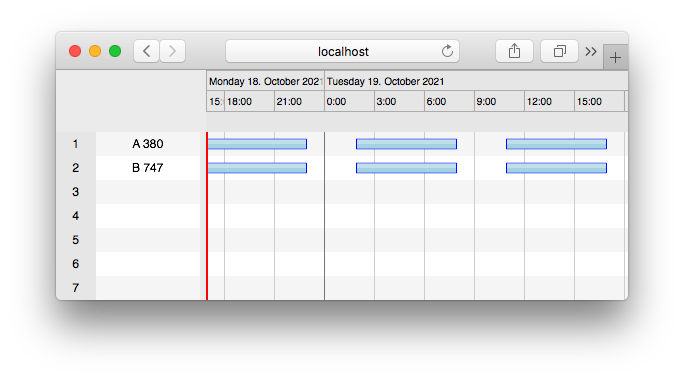
ScheduleJS features
ScheduleJS uses canvas rendering to display large numbers of activities without DOM overhead. It supports ActivityLink visualization for dependency display and integrates with Angular's component lifecycle. The library does not include auto-scheduling, critical path analysis, baselines, or export functionality.
ScheduleJS pricing
Licenses start at 1,500 EUR per developer as a perpetual license per application.
Pros of ScheduleJS
- Canvas rendering maintains performance when displaying very large numbers of activities.
- Native Angular lifecycle integration.
Cons of ScheduleJS
- Angular-only: not usable in React, Vue, or plain JavaScript projects.
- No auto-scheduling engine, no critical path, no baselines, and no export.
- Package is distributed as a local file, not through a package registry.
- Starting price of 1,500 EUR per developer is among the highest in this comparison.
Conclusion
The table below summarizes the key capabilities across all five libraries.
| Feature | Bryntum Gantt | DHTMLX Gantt | Syncfusion Gantt | DayPilot Gantt | ScheduleJS |
|---|---|---|---|---|---|
| Auto-scheduling | Yes | Pro only | Yes | No | No |
| Critical path | Yes | Pro only | Yes | No | No |
| Resource management | Yes | Pro only | Yes | No | No |
| Angular native wrapper | Yes | No (container approach) | Yes | Yes | Yes |
| Canvas rendering | No | No | No | No | Yes |
| Export | PDF/PNG/Excel/ICS/XML | Online or add-on | Yes | Limited | No |
| Open-source / free tier | Trial only | GPL Standard | Community License | Trial only | No |
| MCP server | Yes | Yes | Stdio only | No | No |
The table below maps common project requirements to the library best suited for each.
| Use case | Recommended library |
|---|---|
| Enterprise Angular app requiring a full scheduling engine | Bryntum Gantt |
| Full-featured Gantt with a free Community License | Syncfusion Gantt |
| Canvas rendering for very large activity counts | ScheduleJS |
| Open-source or GPL-licensed project | DHTMLX Gantt Standard |
For most Angular teams building a project management interface, Bryntum Gantt and Syncfusion Gantt are the strongest choices because both ship native Angular wrappers and include a complete scheduling engine in the base product. Bryntum Gantt adds MCP server support and a Claude Code skill that make it well suited to teams using AI coding assistants. Syncfusion Gantt's Community License makes it the practical choice for smaller teams that qualify.
DHTMLX Gantt is the best option when the project is open-source and the GPL license fits. The lack of an official Angular wrapper is a real integration cost, but the public npm package and transparent pricing make it straightforward to evaluate. DayPilot is suitable when you need a native Angular component with a UI Builder and are not relying on automatic dependency scheduling. ScheduleJS serves a narrow use case: Angular-only projects that must render an unusually high number of activities on screen, where canvas rendering justifies the trade-offs in features and distribution.